
When you activate a VPN free trial, you’re not browsing — you’re deciding. Most users waste this window. They connect once, see the green icon, and assume protection. Then weeks later they discover buffering, unstable connections, or security leaks. Your trial period is leverage. Use it properly.
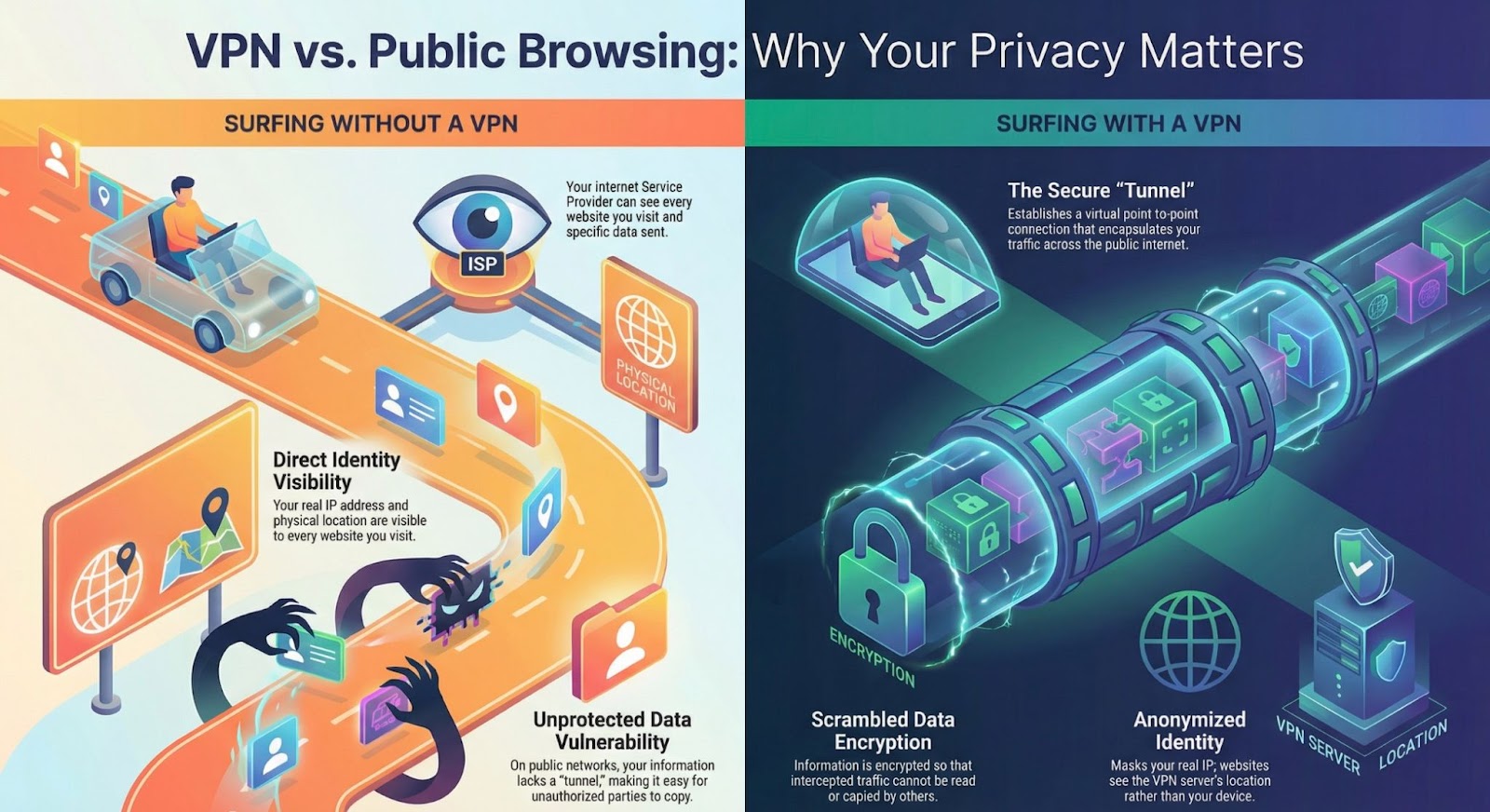
Visual comparison of unprotected browsing vs encrypted VPN tunnel.
Why You Must Test — Not Trust — During a VPN Free Trial
A VPN app saying ‘Connected’ does not guarantee real protection. A proper evaluation includes security verification, performance stress tests, and real-world usage checks. The checklist below turns your trial period into a structured decision framework.
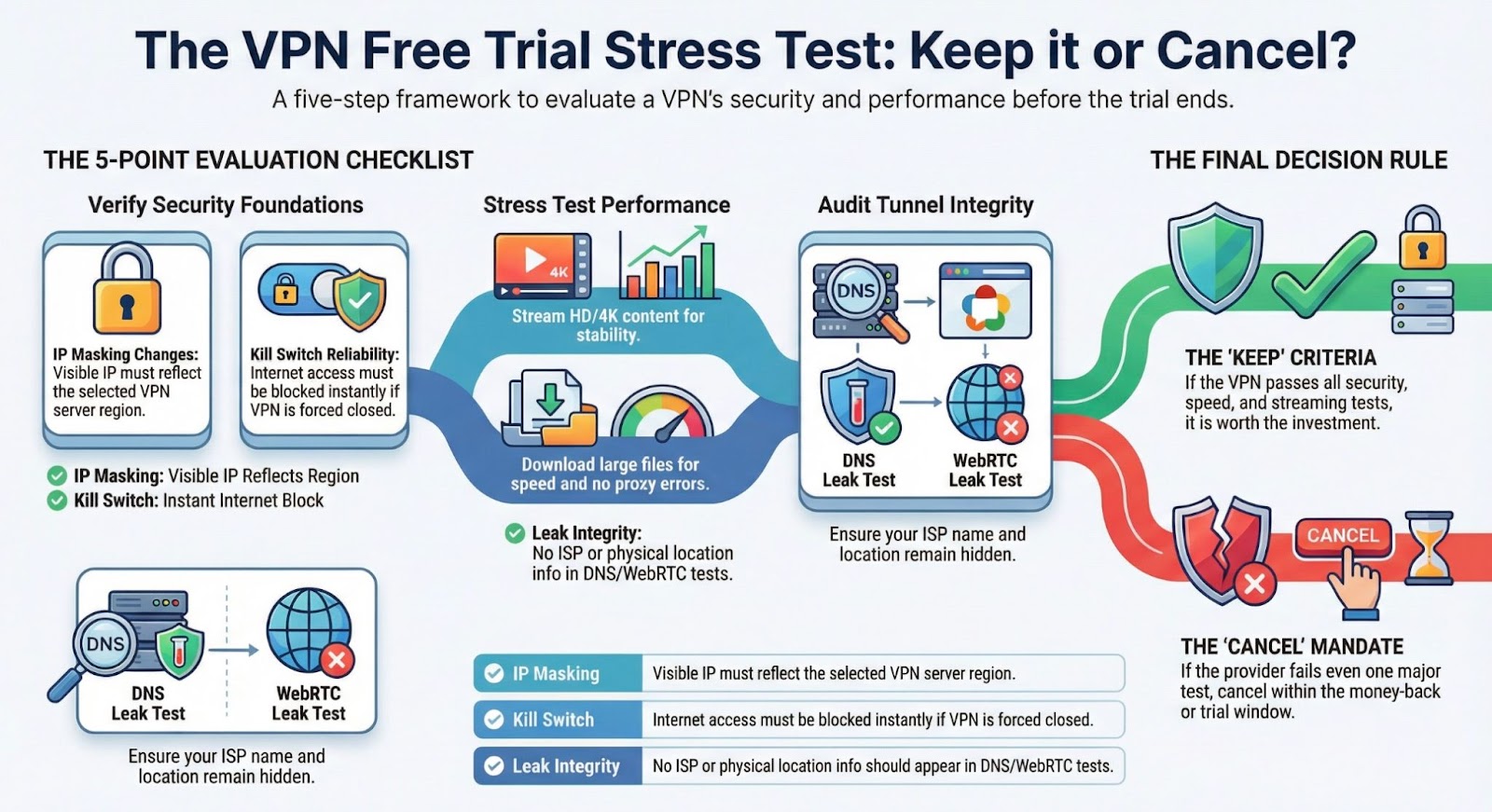
Structured VPN free trial evaluation framework.
1. IP Masking Test (Foundation Check)
• Search ‘What is my IP’ before connecting. • Connect to your chosen VPN server. • Refresh and verify location change. If your visible IP does not reflect the selected region, the VPN fails its core function.
TEST IP MASKING DURING YOUR VPN FREE TRIAL HERE
2. Kill Switch Test (Exposure Prevention)
• Connect to the VPN. • Disable Wi-Fi or force-close the app. • Attempt to load a webpage. If internet access continues, your real IP may be exposed. A functional kill switch should block traffic instantly. NordVPN includes a reliable kill switch designed to prevent accidental exposure.
3. Streaming Stress Test (Proxy Detection Check)
Streaming platforms like Netflix aggressively detect VPN traffic. During your trial: • Connect to your home country server. • Stream HD or 4K content. • Switch regions and test again. If streaming works smoothly without proxy detection errors, the provider maintains strong IP reputation management.
SEE CURRENT VPN TRIAL AVAILABILITY
4. Speed & Stability Test (Real-World Performance)
Run real-world tests instead of relying only on speed test websites: • Download large files. • Upload documents to cloud storage. • Join a video call. A premium VPN should feel nearly identical to your normal connection when connected to nearby servers. NordVPN typically maintains stable speeds due to its global server network.
5. Leak Test (Tunnel Integrity)
Use a DNS and WebRTC leak test website while connected. If your ISP name or physical location appears, your tunnel is compromised. A secure VPN should prevent all identifying information from leaking outside the encrypted tunnel.
Final Decision Rule: Keep or Cancel
If the VPN passes: • IP masking • Kill switch reliability • Streaming stability • Speed consistency • Leak prevention Then it’s likely worth keeping. If it fails even one major test, cancel within the trial or money-back window.
START YOUR VPN FREE TRIAL AND RUN THESE TESTS YOURSELF
FAQ: VPN Free Trial Questions
How long should I test a VPN free trial?
Use the trial period to test across different networks, including home and public Wi-Fi, and simulate travel by switching regions.
Does a VPN slow down streaming?
All VPNs introduce minor encryption overhead, but a high-quality provider should maintain smooth HD or 4K streaming.
Are free VPN trials safe?
Premium providers offering official trials or money-back guarantees are generally safe, provided you verify no-logs policies and encryption standards.
How do I know if my VPN is leaking?
Use DNS and WebRTC leak test websites while connected to confirm that your real IP and ISP information are hidden.
Is NordVPN worth testing?
If you need stable streaming, reliable public Wi-Fi protection, and consistent speeds, it is one of the stronger mainstream options to evaluate during a trial period.
Disclosure & Note
This content is provided for informational purposes only and reflects general VPN testing practices at the time of writing. VPN features, trial availability, performance, and refund policies may vary by provider, platform, and region. Always review the provider’s official terms of service, privacy policy, and money-back guarantee conditions before subscribing or making a purchase decision.